
My Notes on Sorting and Searching Algorithms
My Notes on Sorting and Searching Algorithms
I've been diving deep into algorithms lately, and I wanted to share my notes on some fundamental sorting and searching techniques. These are the implementations I've been working with and studying.
Something I learned early on: there's no single "best" algorithm. Each one has its place depending on what you're working with. Let me walk you through what I've discovered.
Why I'm Learning This
Honestly, algorithms seemed intimidating at first. But once I started implementing them myself, they made so much more sense. Plus, understanding how data gets sorted and searched efficiently has helped me write better code in my projects.
Sorting Algorithms I've Implemented
Let me share the four sorting algorithms I've been practicing with.
The Helper Function
First, I wrote a simple swap function that all the sorting algorithms use:
/**
 * Swap two elements in an array
 */
function swap(arr, i1, i2) {
    var temp = arr[i1];
    arr[i1] = arr[i2];
    arr[i2] = temp;
}
Nothing fancy, but it's reusable and keeps the code clean.
1. Selection Sort - My First Algorithm
This was the first one I implemented. The idea is pretty straightforward: find the smallest element and move it to the front, then repeat for the rest.
How I think about it:
- Look through the unsorted part
- Find the smallest value
- Swap it to the front
- Repeat until done
Here's my implementation:
/**
 * Selection Sort - O(n²) time complexity
 */
function selectionSort(arr) {
    for (var i = 0; i < arr.length - 1; i++) {
        // Find minimum in the remaining array
        var min = arr[i];
        var index = i;

        for (var j = i + 1; j < arr.length; j++) {
            if (arr[j] < min) {
                min = arr[j];
                index = j;
            }
        }

        // Swap minimum with current position
        swap(arr, i, index);
    }
}
When I use it: Small arrays or when I need simple, predictable behavior. It's not the fastest, but it's easy to understand and debug.
2. Bubble Sort - The Classic One
Everyone talks about bubble sort in CS classes. I understand why now - it's a great teaching tool even if it's not the most efficient.
The concept: Compare neighbors and swap if they're in the wrong order. Larger values "bubble up" to the end.
/**
 * Bubble Sort - The one everyone learns first
 */
function bubbleSort(arr) {
    for (var i = 0; i < arr.length - 1; i++) {
        // Each pass bubbles the largest element to the end
        for (var j = 0; j < arr.length - 1 - i; j++) {
            if (arr[j] > arr[j + 1]) {
                swap(arr, j, j + 1);
            }
        }
    }
}
My take: It's slow for large datasets, but I appreciate how visual it is. When I'm debugging, I can literally see the values bubbling to their positions.
3. Insertion Sort - Surprisingly Useful
This one surprised me. It's actually really good for nearly-sorted data.
My understanding: Keep a sorted portion and insert new elements into the right spot, like organizing playing cards in your hand.
/**
 * Insertion Sort - Better than you'd think for small/nearly-sorted arrays
 */
function insertionSort(arr) {
    for (var i = 1; i < arr.length; i++) {
        if (arr[i] < arr[i - 1]) {
            // Insert arr[i] into the correct position in sorted portion
            var temp = arr[i];

            for (var j = i; j >= 0; j--) {
                if (j > 0 && arr[j - 1] > temp) {
                    arr[j] = arr[j - 1]; // Shift right
                } else {
                    arr[j] = temp;
                    break;
                }
            }
        }
    }
}
Real-world use: I've used this when adding new items to an already-sorted list. It's way faster than re-sorting everything.
4. Quick Sort - The One I Use Most
This is my go-to for general-purpose sorting. It's more complex, but the performance is worth it.
The strategy:
- Pick a pivot (I use the last element)
- Partition: put smaller values left, larger values right
- Recursively sort both sides
/**
 * Quick Sort - My preferred general-purpose sorting algorithm
 */
function quickSort(arr) {
    function _quickSort(arr, start, end) {
        if (start >= end || start > arr.length - 1) return;

        var low = start;
        var high = end;
        var key = arr[end]; // Using last element as pivot

        while (low < high) {
            // Move low pointer right
            while (low < high && arr[low] <= key) low++;
            arr[high] = arr[low];

            // Move high pointer left
            while (low < high && arr[high] >= key) high--;
            arr[low] = arr[high];
        }

        // Place pivot in final position
        arr[low] = key;

        // Recursively sort partitions
        _quickSort(arr, start, low - 1);
        _quickSort(arr, low + 1, end);
    }

    _quickSort(arr, 0, arr.length - 1);
}
Quick test I ran:
var arr = [5, 3, 1, 6, 7, 4];
console.log("Before:", arr);
quickSort(arr);
console.log("After:", arr);
// Before: [5, 3, 1, 6, 7, 4]
// After: [1, 3, 4, 5, 6, 7]
Works perfectly!
Searching Algorithms
After sorting, I learned about searching. Here are the three approaches I've been practicing.
1. Linear Search - The Simple Approach
Just check every element until you find what you're looking for (or reach the end).
/**
 * Linear Search - Straightforward but slow for large arrays
 */
function inOrderSearch(arr, target) {
    for (var i = 0; i < arr.length; i++) {
        if (arr[i] === target) {
            return true;
        }
    }
    return false;
}
When I use it: Small arrays or when the data isn't sorted. Sometimes simple is best.
2. Binary Search - The Smart Way
This one blew my mind when I first understood it. Cut the search space in half with each step!
Important: Only works on sorted arrays.
/**
 * Binary Search - Requires sorted array but super fast
 */
function binarySearch(arr, target) {
    if (arr.length === 0 || target < arr[0] || target > arr[arr.length - 1]) {
        return false;
    }

    var minIndex = 0;
    var maxIndex = arr.length - 1;

    while (minIndex <= maxIndex) {
        var mid = Math.floor((minIndex + maxIndex) / 2);

        if (arr[mid] === target) {
            return true;
        } else if (arr[mid] > target) {
            maxIndex = mid - 1; // Search left half
        } else {
            minIndex = mid + 1; // Search right half
        }
    }

    return false;
}
The difference is huge: I tested searching for an element in an array of 100,000 items:
- Linear search: ~100,000 iterations
- Binary search: ~17 iterations
That's insane!
3. Interpolation Search - Even Smarter
I learned this one recently. Instead of always checking the middle, it estimates where the value should be based on its magnitude.
Best for: Uniformly distributed data (like sequential IDs or evenly-spaced numbers).
/**
 * Interpolation Search - Even better for uniformly distributed data
 */
function interpolationSearch(arr, target) {
    if (arr.length === 0 || target < arr[0] || target > arr[arr.length - 1]) {
        return false;
    }

    var minIndex = 0;
    var maxIndex = arr.length - 1;

    while (minIndex <= maxIndex) {
        // Estimate position based on value
        var mid = Math.floor(
            (target - arr[minIndex]) / (arr[maxIndex] - arr[minIndex])
            * (maxIndex - minIndex) + minIndex
        );

        if (arr[mid] === target) {
            return true;
        } else if (arr[mid] > target) {
            maxIndex = mid - 1;
        } else {
            minIndex = mid + 1;
        }
    }

    return false;
}
My test results:
// Created array with 100,000 sequential numbers
var arr = new Array(100000);
for (var i = 0; i < arr.length; i++) {
    arr[i] = i + 1;
}

// Searching for the last element (100,000):
// Linear search: 100,000 checks
// Binary search: ~17 checks
// Interpolation search: ~4 checks!
For uniformly distributed data, interpolation search is incredibly fast.
What I've Learned
After implementing and testing all these algorithms, here are my key takeaways:
For Sorting:
- Quick Sort is my default choice for most situations
- Insertion Sort is surprisingly good for small or nearly-sorted data
- Selection/Bubble Sort are great for learning but slow for real use
For Searching:
- Binary Search is amazing for sorted data - use it whenever possible
- Interpolation Search is even better if your data is uniformly distributed
- Linear Search is fine for small arrays or unsorted data
Performance Matters
Here's a simple comparison from my testing:
| Algorithm | Time Complexity | When I Use It |
|---|---|---|
| Quick Sort | O(n log n) avg | General purpose sorting |
| Insertion Sort | O(n²) | Small or nearly-sorted arrays |
| Binary Search | O(log n) | Searching sorted data |
| Interpolation Search | O(log log n) | Uniformly distributed sorted data |
Putting It Together
Here's a practical example I use for testing:
// Create test data
var data = [64, 34, 25, 12, 22, 11, 90];

console.log("Original:", data);

// Sort it
quickSort(data);
console.log("Sorted:", data);

// Search for values
console.log("Found 22:", binarySearch(data, 22)); // true
console.log("Found 100:", binarySearch(data, 100)); // false
Output:
Original: [64, 34, 25, 12, 22, 11, 90]
Sorted: [11, 12, 22, 25, 34, 64, 90]
Found 22: true
Found 100: false
Final Thoughts
Learning these algorithms has made me a better developer. I understand performance implications better, and I know when to use JavaScript's built-in Array.sort() versus implementing my own solution.
If you're learning algorithms too, my advice: implement them yourself. Reading about them is one thing, but writing the code and seeing it work (or debugging when it doesn't!) is how it really clicks.
Feel free to use this code in your own projects. That's what I did - I learned by doing!
Questions or found a bug in my code? Let me know! I'm still learning and always looking to improve.
Share this article
Related Articles
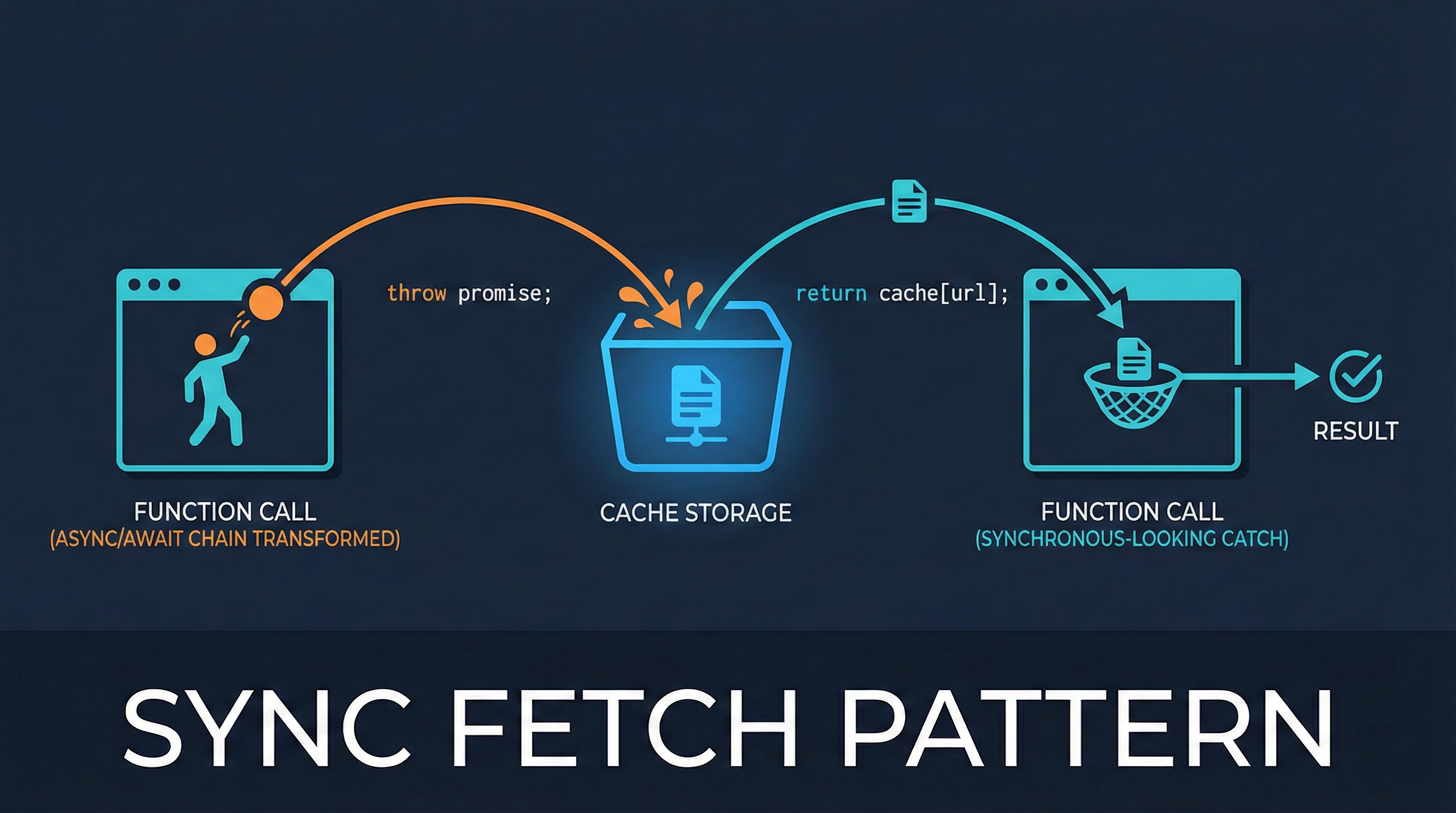
Sync Fetch Pattern: Escape the Async/Await Chain
Learn how to use the throw-to-suspend pattern to get synchronous-looking code from async fetch operations. This technique powers Vue Suspense and React Suspense under the hood.

Understanding Binary Trees: My Journey with Tree Traversal
My hands-on experience learning binary tree data structures and implementing tree traversal algorithms (pre-order, in-order, post-order) in JavaScript. Includes tree reconstruction and depth calculation.