Sync Fetch Pattern: Escape the Async/Await Chain
Sync Fetch Pattern: Escape the Async/Await Chain
Have you ever noticed how async/await spreads through your codebase like wildfire? One async function calls another, which calls another, and suddenly half your code is async. It's the "async infection" problem.
Today I want to share a clever pattern that helps you write synchronous-looking code while still handling async operations. This is the same technique that powers Vue Suspense and React Suspense under the hood.
The Problem: Async Chain Everywhere
You've probably seen code like this:
async function getUser() {
  const response = await fetch('/api/user');
  return response.json();
}

async function getUserPosts() {
  const user = await getUser();  // Must be async now
  const posts = await fetch(`/api/posts/${user.id}`);
  return posts.json();
}

async function renderDashboard() {  // Must be async now
  const posts = await getUserPosts();
  // ... render logic
}

async function main() {  // Must be async now
  await renderDashboard();
}
Every function in the chain needs to be async. It's tedious and makes the code harder to reason about.
The Solution: Throw-to-Suspend Pattern
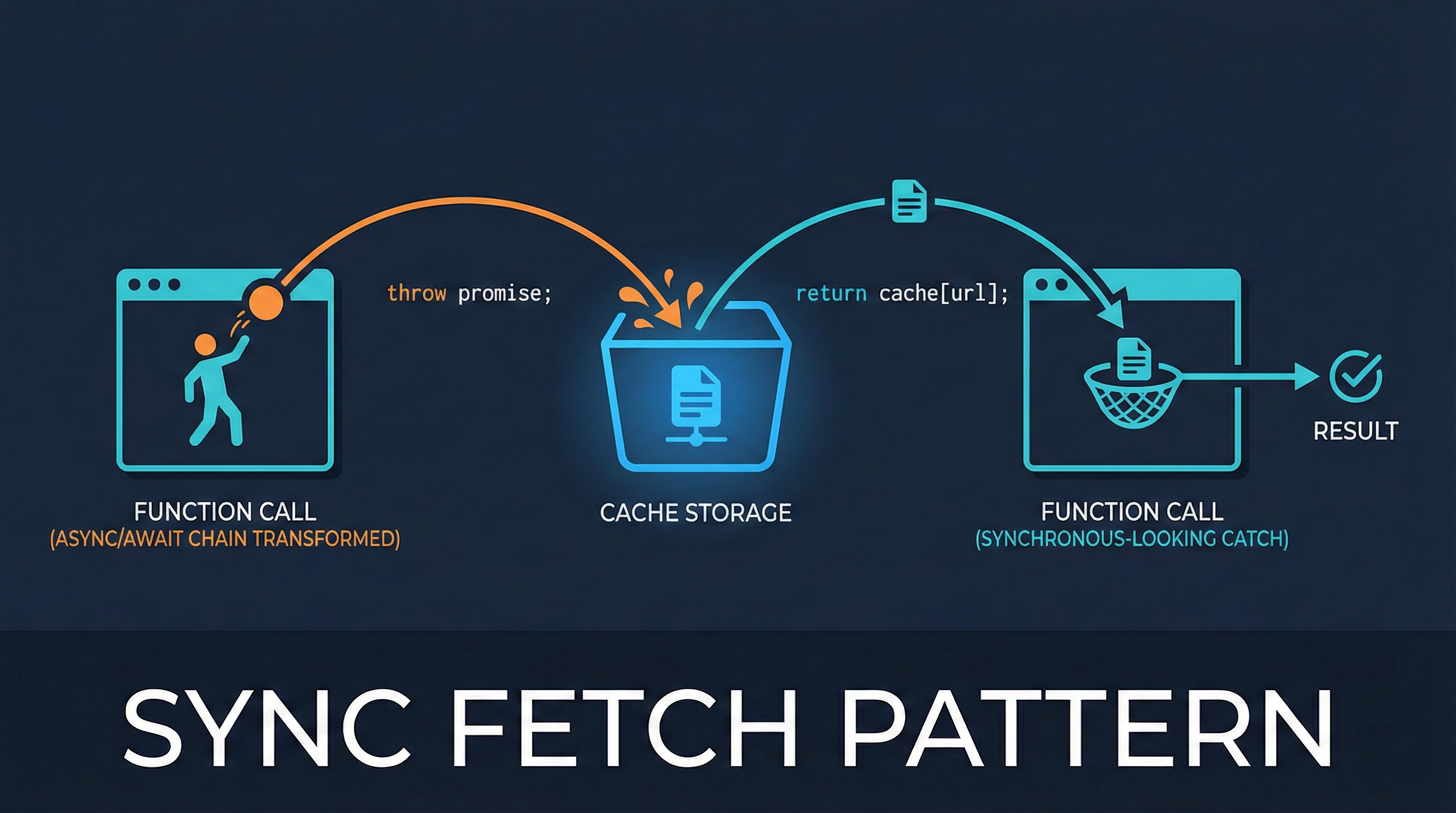
The idea is simple but clever:
- First call: No cache → start fetch → throw the Promise
- Catch the error → await the thrown Promise
- Second call: Cache hit → return the value synchronously
Here's the implementation:
const cache = {};

function fetchSync(url) {
  if (cache[url]) {
    return cache[url];
  }

  const promise = fetch(url)
    .then(res => res.json())
    .then(data => {
      cache[url] = data;
      return data;
    });

  throw promise;
}
That's it! The magic is in throw promise. Instead of returning a Promise, we throw it.
How to Use It
The caller catches the thrown Promise, awaits it, then calls the function again:
async function main() {
  console.log('fetchSync() called - 1st time');
  try {
    const data = fetchSync('/api/user');
    console.log('Returned:', data);
  } catch (promise) {
    console.log('Threw Promise, awaiting...');
    await promise;

    console.log('fetchSync() called - 2nd time');
    const data = fetchSync('/api/user');
    console.log('Returned:', data);
  }
}
Try It Yourself
Here's a complete HTML demo you can run in your browser:
<!DOCTYPE html>
<html>
<head>
  <title>Sync Fetch Demo</title>
</head>
<body>
  <button onclick="runDemo()">Run Demo</button>
  <button onclick="clearCache()">Clear Cache</button>

  <script>
    const cache = {};

    function fetchSync(url) {
      if (cache[url]) {
        return cache[url];
      }

      const promise = fetch(url)
        .then(res => res.json())
        .then(data => {
          cache[url] = data;
          return data;
        });

      throw promise;
    }

    function clearCache() {
      Object.keys(cache).forEach(key => delete cache[key]);
      console.log('Cache cleared');
    }

    async function runDemo() {
      const URL = 'https://jsonplaceholder.typicode.com/users/1';

      console.log('fetchSync() called - 1st time');
      try {
        const data = fetchSync(URL);
        console.log('Returned:', data);
      } catch (promise) {
        console.log('Threw Promise, awaiting...');
        await promise;

        console.log('fetchSync() called - 2nd time');
        const data = fetchSync(URL);
        console.log('Returned:', data);
      }
    }
  </script>
</body>
</html>
Open the browser console (F12), click "Run Demo", and you'll see:
fetchSync() called - 1st time
Threw Promise, awaiting...
fetchSync() called - 2nd time
Returned: {id: 1, name: 'Leanne Graham', email: 'Sincere@april.biz', ...}
Why This Matters: Vue and React Suspense
This pattern is exactly how Vue Suspense and React Suspense work!
In Vue, when a component's async setup() throws a Promise:
<template>
  <Suspense>
    <template #default>
      <AsyncComponent />
    </template>
    <template #fallback>
      <div>Loading...</div>
    </template>
  </Suspense>
</template>
The <Suspense> component:
- Catches the thrown Promise
- Shows the fallback (loading state)
- Awaits the Promise
- Re-renders the component (which now returns cached data)
React Suspense works the same way.
Cache Invalidation
You'll need to handle cache invalidation for data that changes:
function clearCache(url) {
  if (url) {
    delete cache[url];
  } else {
    Object.keys(cache).forEach(key => delete cache[key]);
  }
}
When to Use This Pattern
Good for:
- Framework integration (Vue/React Suspense)
- Data that doesn't change often
- Simplifying deeply nested async chains
Not ideal for:
- Real-time data that changes frequently
- Simple one-off fetches (just use async/await)
Conclusion
The throw-to-suspend pattern is a clever way to write synchronous-looking code while handling async operations. It's not magic - it's just a smart use of JavaScript's throw/catch mechanism combined with caching.
Understanding this pattern helps you:
- Write cleaner code with fewer async chains
- Understand how Vue/React Suspense works under the hood
Try the demo yourself - seeing it work really helps it click!
Share this article
Related Articles

Understanding Binary Trees: My Journey with Tree Traversal
My hands-on experience learning binary tree data structures and implementing tree traversal algorithms (pre-order, in-order, post-order) in JavaScript. Includes tree reconstruction and depth calculation.

My Notes on Sorting and Searching Algorithms
Personal notes and implementations of common sorting and searching algorithms I've been studying. Includes Selection Sort, Bubble Sort, Insertion Sort, Quick Sort, and various search techniques with JavaScript code examples.